If you’ve ever scrambled to format a purchase order from scratch — or worse, lost track of one buried in your inbox — you’re not alone. Whether you’re a freelancer, a small business owner, or managing procurement for a growing team, having a reliable purchase order generator can save you hours every week.
In this guide, we’ll walk you through everything you need to know about purchase orders, why they matter, and how you can create a purchase order online for free using myBooksAI.
What Is a Purchase Order?
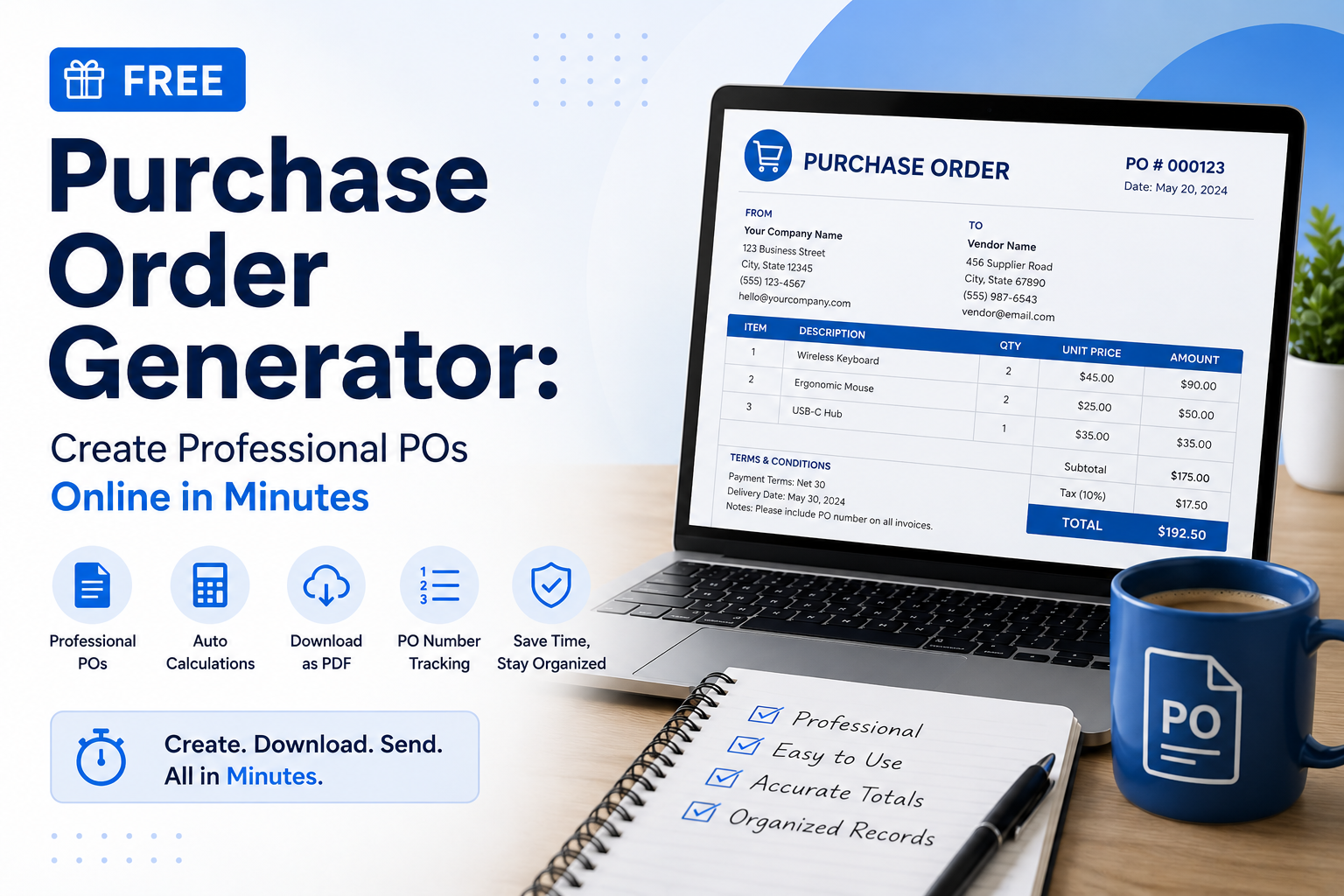
A purchase order (PO) is a legally binding document sent from a buyer to a supplier that authorises a purchase. It outlines the items or services being ordered, quantities, agreed prices, delivery details, and payment terms.
Think of it as the paper trail that protects both parties — the buyer knows exactly what they’re paying for, and the supplier has written confirmation before they begin fulfilling the order.
Why You Need a PO Generator (Not Just a Template)
Many businesses start with a spreadsheet or a downloaded Word template. It works — until it doesn’t. Here’s where basic templates fall short:
- No automatic numbering — you’re manually tracking PO001, PO002… and eventually lose count
- No calculation — tax, totals, and line items have to be updated by hand every time
- No reusability — vendor details are re-entered from scratch for every order
- No records — your PO history is scattered across folders and email threads
A proper online purchase order generator handles all of this automatically, letting you focus on running your business instead of managing paperwork.
How to Create a Purchase Order Online — Free
With myBooksAI’s free purchase order generator, you can go from zero to a professional, ready-to-send PO in under two minutes. Here’s how:
Step 1: Open the PO Generator
Head to mybooksai.app/billing-generator/purchase-order/. No sign-up required to get started.
Step 2: Fill in Your Business Details
Enter your company name, address, and contact information. If you’ve used myBooksAI before, your details are already saved.
Step 3: Add Vendor Information
Enter your supplier’s name and address. For repeat vendors, you can pull saved contacts in seconds.
Step 4: Add Line Items
List the products or services you’re ordering, with quantities and unit prices. Totals — including tax — are calculated automatically.
Step 5: Set Terms and Notes
Add your delivery date, payment terms, and any special instructions for the vendor.
Step 6: Download or Send
Export your PO as a polished PDF, or send it directly to your vendor from the platform.
Who Is This For?
The myBooksAI PO generator is built for:
- Freelancers and consultants who occasionally need to order supplies or subcontract work
- Small business owners managing inventory and vendor relationships
- Startups that need a lightweight procurement workflow without expensive ERP software
- Accountants and bookkeepers who want clean documentation for their clients
Key Features of the myBooksAI Purchase Order Generator
- ✅ Completely free — no hidden fees, no credit card required
- ✅ Professional PDF output — ready to email or print
- ✅ Auto-calculated totals — tax, subtotals, and grand totals updated instantly
- ✅ Customisable fields — add your logo, adjust payment terms, include notes
- ✅ PO number tracking — sequential numbering so nothing gets duplicated
- ✅ Integrated with myBooksAI — your POs connect with invoices, expenses, and reports
Purchase Order vs Invoice: What’s the Difference?
This is a common point of confusion. Here’s a quick breakdown:
| Document | Sent By | When | Purpose |
|---|---|---|---|
| Purchase Order | Buyer | Before the transaction | Authorises a purchase |
| Invoice | Seller | After goods/services delivered | Requests payment |
A PO comes first. When the supplier fulfils the order, they send an invoice referencing the PO number. This two-document flow keeps your accounts clean and disputes to a minimum.
Tips for Writing an Effective Purchase Order
- Always include a PO number — even for small orders. It makes reconciliation effortless.
- Be specific with descriptions — vague line items lead to wrong deliveries and billing disputes.
- Set clear payment terms — Net 30, Net 60, or immediate payment should be stated upfront.
- Reference your PO on the invoice — ask vendors to quote your PO number on all invoices they send back.
- Keep a digital copy — a cloud-based tool like myBooksAI stores your PO history automatically.
Start Creating Purchase Orders for Free
Stop wrestling with templates and manual spreadsheets. The myBooksAI free purchase order generator online gives you a clean, professional workflow that keeps your procurement organised from day one.
👉 Create your first purchase order free →
No account needed to get started. And when you’re ready to connect your POs with invoices, expenses, and financial reports, myBooksAI’s full accounting suite is waiting for you.
myBooksAI is a smart accounting and bookkeeping platform built for small businesses, freelancers, and growing teams. From invoicing to purchase orders to financial reporting — everything in one place.